




Buying Guides
Epson F2270 vs F2100: What Changed and Should You Upgrade?
Aug
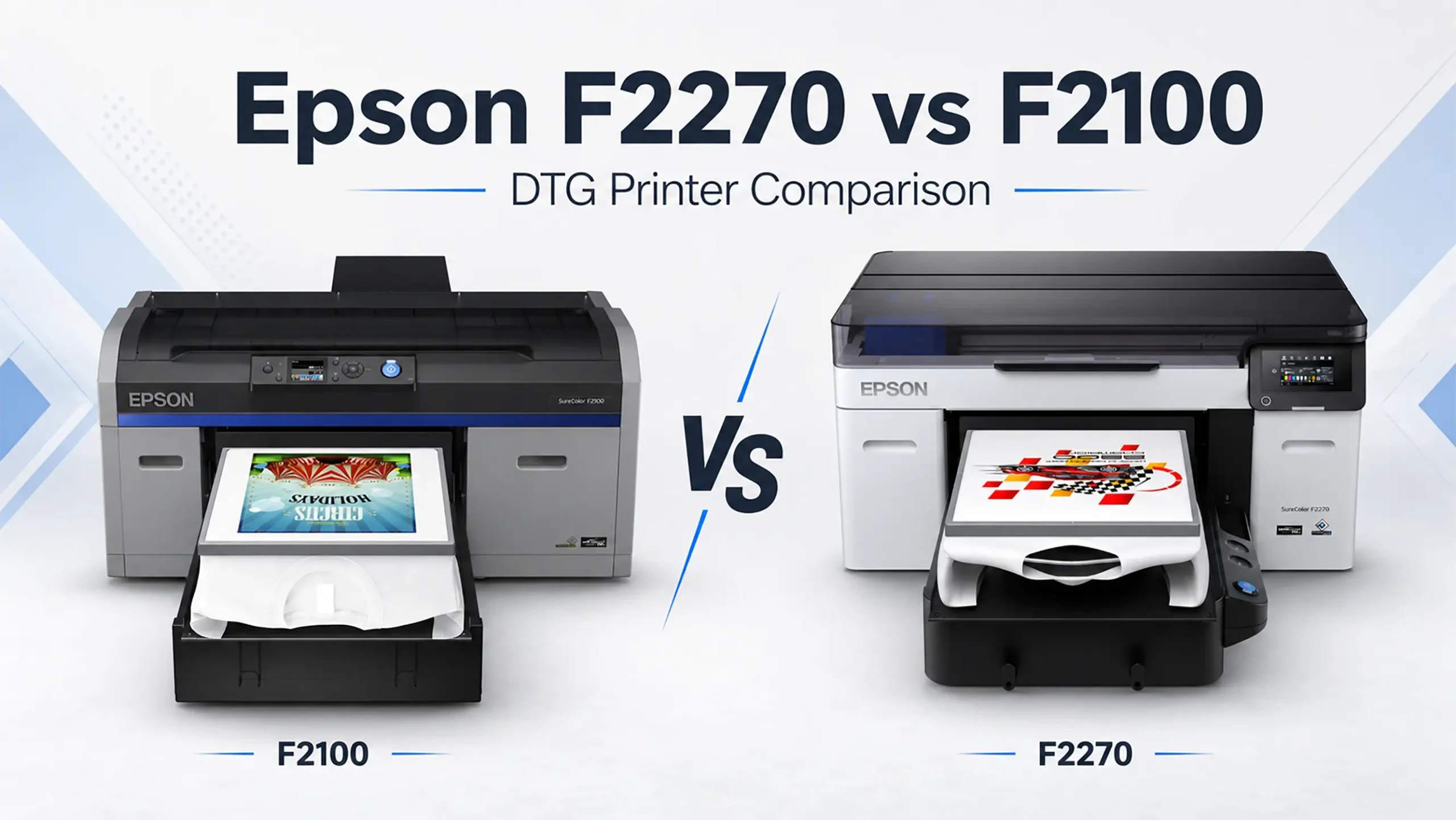
Epson F2270 vs F2100: The Complete Upgrade Comparison
Epson F2270 vs F2100 is the comparison many working DTG shops need to see right now, because this is no longer a choice between two current models. Epson has discontinued the SureColor F2100 and identifies the SureColor F2270 as its replacement. Many F2100 machines are still running daily production, so the real question is not whether the F2270 is newer. It is whether hybrid DTG and DTFilm production, a newer printhead, larger bulk ink packs, and automatic garment setup justify replacing a machine that may still be earning its keep. This guide walks through what changed, what did not, and which shops benefit most from upgrading.
One naming note before we start. You may see the SC-F2200 name on Epson’s European websites for this printer generation. Regional configurations and specifications can differ. In North America, Epson identifies the Epson SureColor F2270 as the replacement for the discontinued F2100.
Epson F2270 vs F2100 Quick Comparison Table
| Feature | SureColor F2100 | SureColor F2270 |
|---|---|---|
| Product status | Discontinued by Epson | Current replacement model |
| Print modes | Direct to garment only | Hybrid DTG and DTFilm |
| Printhead | PrecisionCore TFP | PrecisionCore MicroTFP with Nozzle Verification Technology |
| Ink system | UltraChrome DG in 600 mL cartridges | UltraChrome DG2 in 800 mL cartridge free bulk packs |
| Garment height setup | Operator managed platen height | Automatic garment thickness adjustment |
| Software | Epson Garment Creator | Epson Garment Creator 2 with DTG to DTFilm mode switching |
| Control panel | LCD panel with buttons | 4.3 inch color touchscreen |
| Fleet monitoring | Not available | Epson Cloud Solution PORT |
| Included platen | Medium 14 x 16 inch | Medium Hanger 14 x 16 inch |
| Maximum print area | 16 x 20 inch with optional Large Platen | 16 x 20 inch with optional Large Platen |
What Is the Biggest Difference Between the F2270 and F2100?
The F2100 was purpose built exclusively for direct to garment printing: cotton tees, hoodies, tote bags, and other flat garments loaded on a platen. The F2270 is a hybrid platform designed for both DTG and direct to film production, which Epson calls DTFilm and most customers search for as DTF. Inside Garment Creator 2 you switch the workflow from printing directly on a garment to printing a transfer onto film, which is then powdered, cured, and heat pressed onto the final item. Same printer, same ink set, same operator, two revenue streams.
That second workflow is what opens up hats, koozies, zippered hoodies, polyester jerseys, bags, and uniquely shaped items that will never fit on a flat DTG platen. One honest caveat: a hybrid printer does not eliminate the supporting DTF process. You still need compatible transfer film, adhesive powder, a curing method, and a heat press to complete transfers. For most F2100 owners weighing this upgrade, DTFilm capability is the difference that changes the business case rather than just the spec sheet.
Not sure which production method fits your orders? Read our DTG vs DTF printing comparison to compare fabrics, print feel, workflow and production requirements.
Is the Epson F2270 Faster Than the F2100?
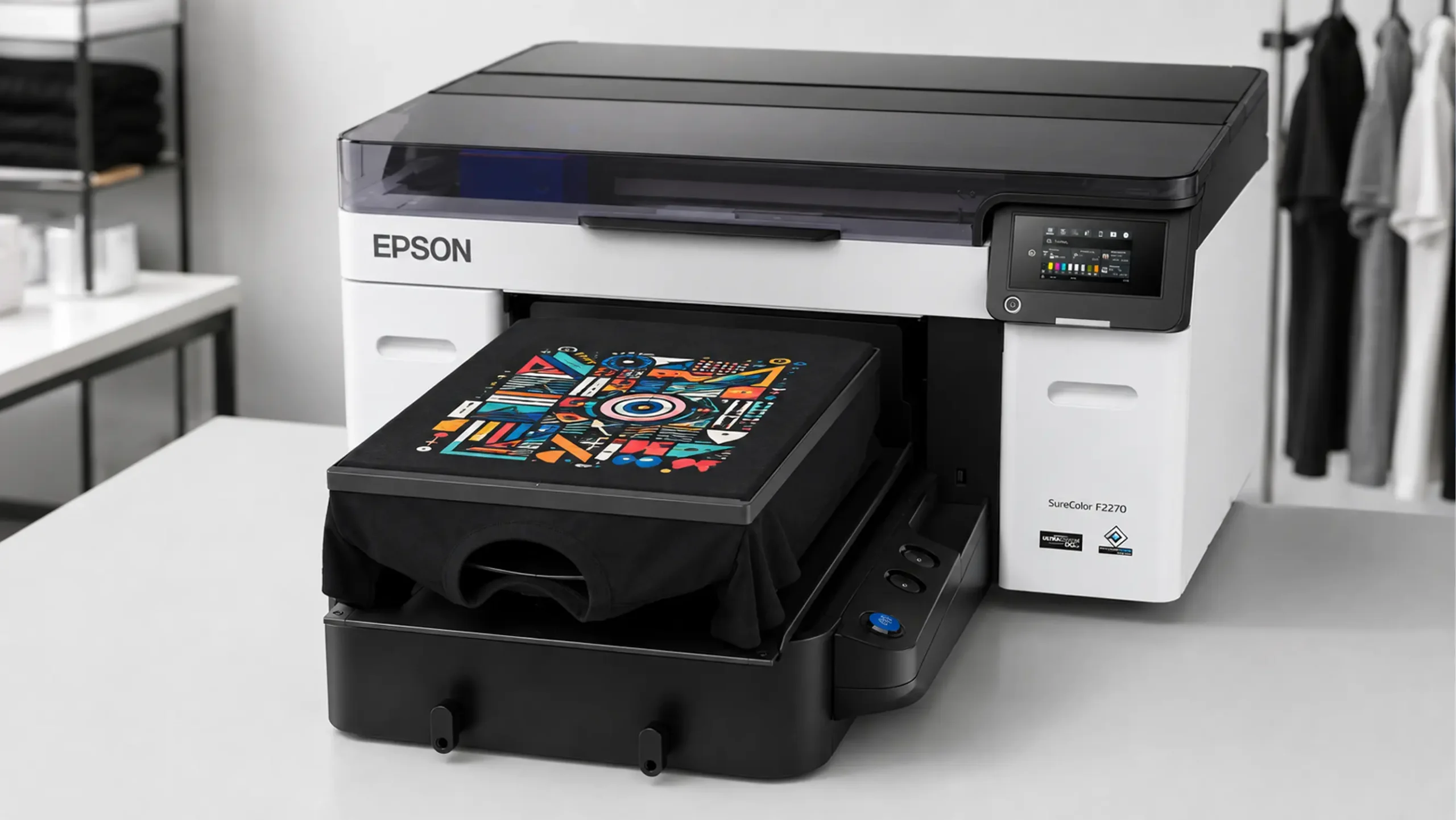
The F2270 moves from the F2100 era PrecisionCore TFP printhead to the newer PrecisionCore MicroTFP printhead with Nozzle Verification Technology, which monitors nozzle condition to help catch issues before they show up as banding in a customer order. Epson advertises up to 20 percent faster printing on dark garments compared to the previous generation model, measured under specific test conditions on a 13.6 x 16 inch dark garment print at default quality.
Treat that number as Epson’s published test figure rather than a guaranteed shop floor result. Real throughput includes file processing, garment loading, pretreatment, and curing, not only the time the printhead is moving. For many F2100 owners the bigger day to day productivity gains come from the complete workflow: automatic garment thickness setup, faster processing in Garment Creator 2, nozzle condition monitoring, and the ability to run DTG or DTFilm from one platform. Dark garment shops feel the printhead speed most, because the white underbase pass is where DTG machines spend the bulk of their print time.
What Ink Does the F2270 Use Compared to the F2100?
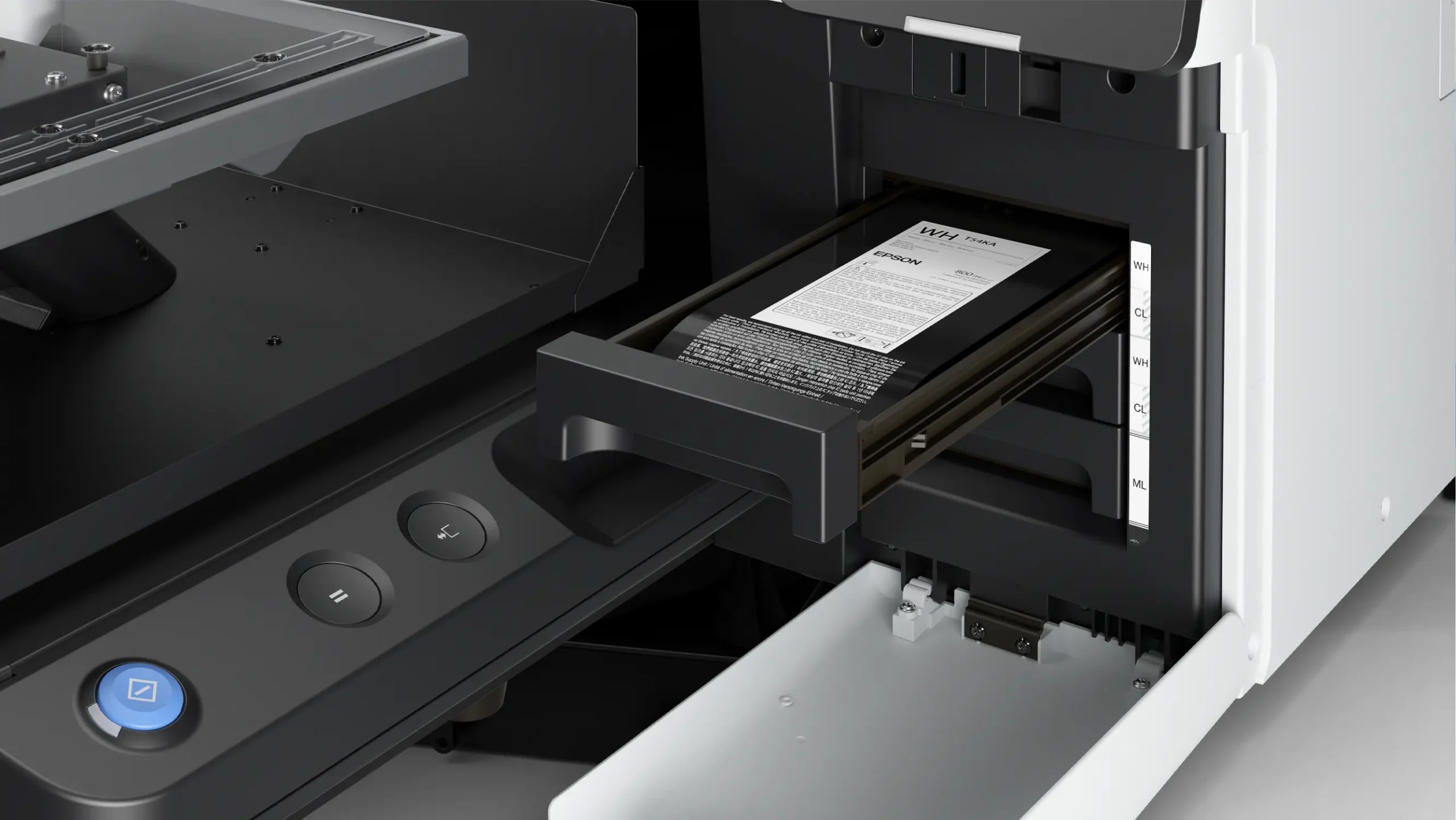
The F2100 uses Epson UltraChrome DG ink in 600 mL replacement cartridges. The F2270 moves to next generation UltraChrome DG2 ink in 800 mL cartridge free bulk packs. That is approximately 33 percent more ink capacity per replacement and, at equal consumption, about 25 percent fewer replacements. Epson describes DG2 ink as producing vibrant color and detailed output. The F2270 uses Black, Cyan, Magenta, Yellow, and White ink packs.
- Epson T54K1 Black UltraChrome DG2 Ink
- Epson T54K2 Cyan UltraChrome DG2 Ink
- Epson T54K3 Magenta UltraChrome DG2 Ink
- Epson T54K4 Yellow UltraChrome DG2 Ink
- Epson T54KA White UltraChrome DG2 Ink
Important for upgraders: the two ink systems are not interchangeable. DG2 packs use different part numbers than F2100 cartridges, so account for the remaining value of your F2100 ink inventory and plan a fresh supply order. The F2270 also uses its own maintenance consumables, including the T54KB20 Maintenance Liquid Pack for routine automated maintenance and the separate T54R900 Cleaning Pack for procedures such as preparing the printer for extended storage.
What Is Automatic Garment Thickness Adjustment?
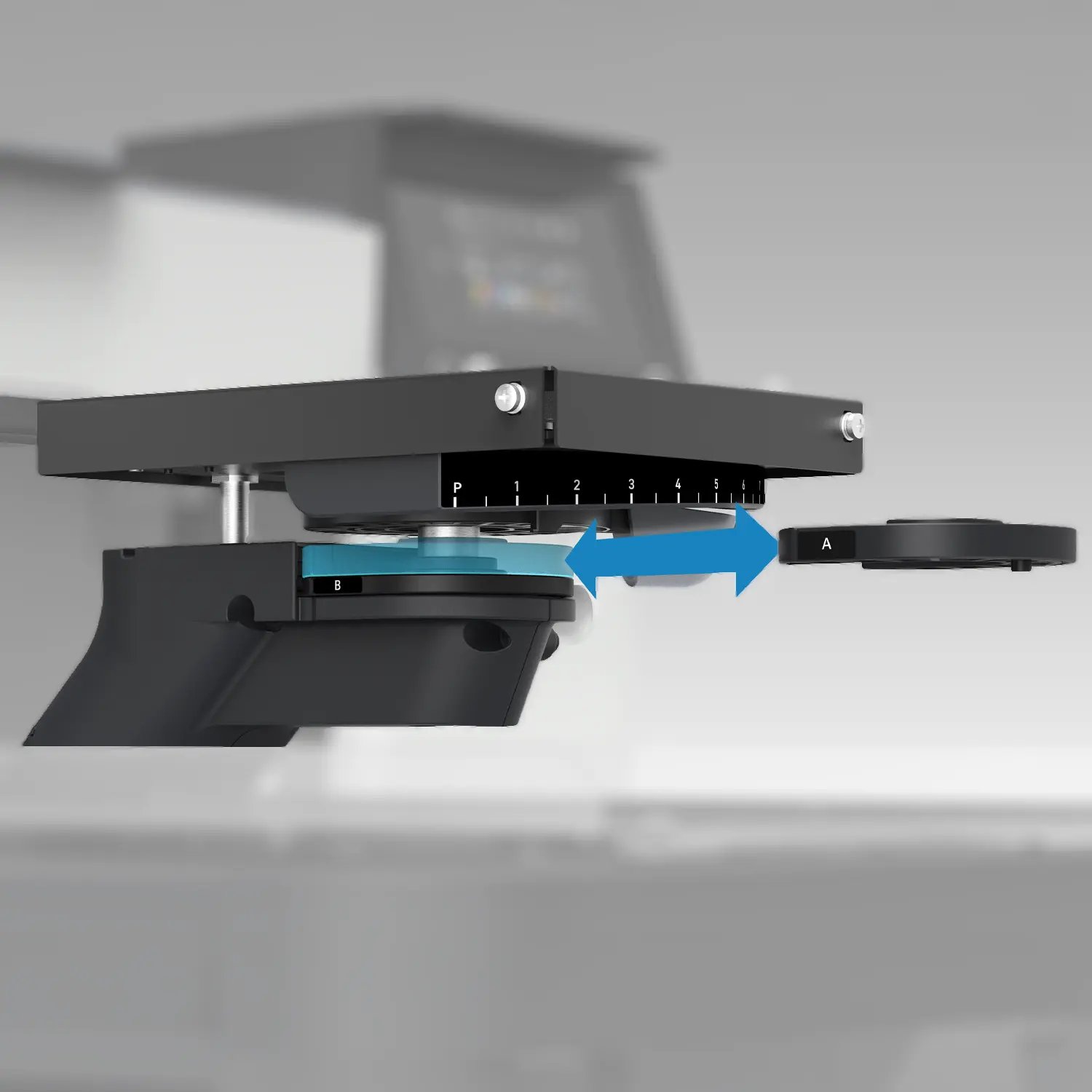
Garment height matters in DTG printing. Set the print surface too low and quality suffers; too high and you risk a head strike on a thick seam or hoodie zipper. On the F2100 the operator manages platen height for each garment type. The F2270 scans the loaded garment with sensors and adjusts printhead height automatically. That removes a manual step on every single load, protects the printhead, and keeps results consistent when newer operators run the machine. Shops that switch between tees, hoodies, and thicker garments all day feel this change the most.
What Changed With Software and Monitoring?
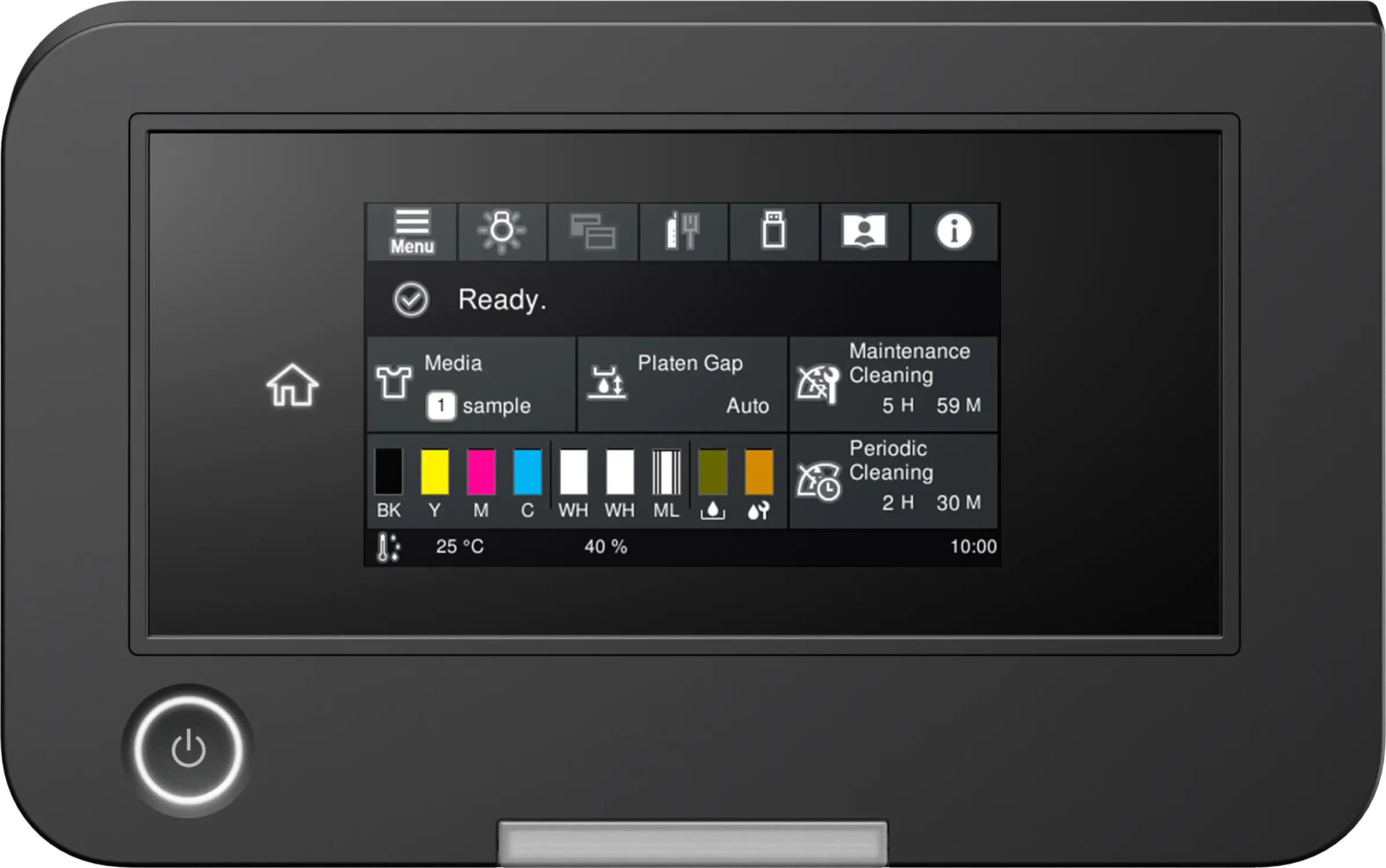
F2100 owners know Epson Garment Creator. The F2270 uses Garment Creator 2, which adds DTG to DTFilm mode switching along with improved processing time and high resolution processing. The button and LCD interface gives way to a 4.3 inch color touchscreen for job control, ink status, and maintenance routines. The F2270 also supports Epson Cloud Solution PORT, which gives multi printer shops live visibility into production rates and printer utilization. A single machine shop will use fleet monitoring less, but it becomes genuinely useful as you scale toward a second or third garment printer.
Will Your F2100 Platens and Accessories Fit the F2270?
Not everything in your accessory drawer becomes obsolete. Several accessory part numbers appear on both official Epson specification sheets, including the Sleeve Platen 4 x 4 inch (C12C933971), the Extra Small Platen 7 x 8 inch (C12C933951), the Medium Grooved Platen 14 x 16 inch (C12C933961), and the Printer Maintenance Kit (C13T736200). The F2270 also introduces new hanger style platens with their own part numbers. Confirm your specific accessories with your dealer before the upgrade so you only replace what you need to, but F2100 owners often keep more of their platen investment than they expect.
Ink does not carry over, as covered above. Pretreatment formulas and part numbers can change, so confirm your current product with Buffalo Imaging before moving existing pretreatment inventory into the F2270 workflow. Your software workflow also moves from Garment Creator to Garment Creator 2, so allow time to rebuild and test presets for your most common garments.
Should You Upgrade From the F2100 to the F2270?
Upgrade now if
- Customers keep asking for hats, jerseys, and shaped items. Native, Epson supported DTFilm mode adds those jobs without a second printer, second ink inventory, or second operator skill set.
- Your F2100 has high hours or an uncertain service future. The F2100 is discontinued, and rising maintenance frequency on an aging machine is a signal to move before it fails during your busy season.
- Dark garments dominate your queue. Faster dark garment printing compounds into real capacity across a production week.
- Manual platen setup slows you down or varies by operator. Automatic garment thickness adjustment removes that step and reduces the head strike risk that comes with getting it wrong.
- Ink swaps interrupt your runs. At equal ink consumption, 800 mL packs require approximately 25 percent fewer replacements than 600 mL cartridges.
- You want a current platform with current coverage. The F2270 ships with Epson’s one year limited warranty, and extended Epson service plans are generally priced most favorably when purchased alongside the hardware.
Wait if
- Your F2100 is healthy, paid off, and meets your volume. A reliable machine producing sellable prints has real value, and a shop focused exclusively on cotton garments may not need DTFilm capability yet.
- You print mostly light cotton tees at modest volume. The speed gains concentrate on dark garment workflows, so your day to day difference is smaller.
- Your bottleneck is elsewhere. If pretreatment or curing is what slows your shop down, fixing that first may return more than a printer swap.
Before deciding, weigh the cost of upgrading against the cost of unplanned downtime on a discontinued machine, your remaining F2100 ink inventory, and any revenue you currently turn away because you cannot efficiently decorate transfers or shaped items.
Can You Keep the F2100 and Add the F2270?
Yes, and for a growing shop this is often the smartest configuration. A working F2100 can stay assigned to repeat DTG jobs while the F2270 handles new DTG work and DTFilm transfer production. You add capacity, remove the risk of relying on a single printer during peak season, and let operators transition to the new workflow gradually. The right setup depends on floor space, order volume, labor, and how much F2100 ink and maintenance inventory you already have on hand. If floor space is tight, a healthy F2100 also holds resale value with smaller shops entering DTG.
Migration Checklist for F2100 Owners
- Order the correct UltraChrome DG2 ink SKUs. Your F2100 cartridges will not work in the F2270.
- Stock the F2270 maintenance consumables: the T54KB20 Maintenance Liquid Pack and, when procedures call for it, the T54R900 Cleaning Pack.
- Confirm whether your current pretreatment products and part numbers are approved for the F2270 before using or replacing them.
- Install Epson Garment Creator 2 and rebuild your standard job presets before your first production deadline.
- Inventory your platens and confirm with your dealer which part numbers carry over before ordering replacements.
- Price an extended Epson service plan at the time of purchase, when coverage options may be most favorable.
- Decide whether the F2100 stays as backup and overflow capacity or gets sold while it still has practical value to another shop.
Frequently Asked Questions
Is the Epson F2100 discontinued?
Yes. Epson has discontinued the SureColor F2100 and identifies the SureColor F2270 as its replacement in the North American garment printing lineup. Compatible UltraChrome DG ink and maintenance supplies are still sold for existing F2100 machines, but availability can change by item and seller.
Is the Epson F2270 a direct replacement for the F2100?
Yes. In North America the SureColor F2270 is the next generation successor to the SureColor F2100. The SC-F2200 name you may see online is the international designation for the same printer generation, not a separate US model between the two.
What is the main difference between the F2270 and F2100?
The F2100 was built exclusively for direct to garment printing, while the F2270 is a hybrid platform for both DTG and DTFilm transfer printing. The F2270 also adds a PrecisionCore MicroTFP printhead with Nozzle Verification Technology, 800 mL UltraChrome DG2 bulk ink packs, automatic garment thickness adjustment, a color touchscreen, and Garment Creator 2 software.
Can the Epson F2270 print DTF transfers?
Yes. The F2270 has native, Epson supported DTFilm mode through Garment Creator 2. You print transfers for hats, polyester jerseys, bags, and other items that will not fit on a flat DTG platen, then apply them with a heat press. A complete transfer workflow still requires compatible film, adhesive powder, and a curing method alongside the printer.
Do the F2100 and F2270 use the same ink?
No. The F2100 uses UltraChrome DG ink in 600 mL cartridges, while the F2270 uses next generation UltraChrome DG2 ink in 800 mL cartridge free bulk packs with different part numbers. The two ink systems are not interchangeable.
How large are the F2270 ink packs?
Epson lists 800 mL UltraChrome DG2 replacement packs for Black, Cyan, Magenta, Yellow, and White. The F2100 uses 600 mL replacement cartridges, so the F2270 provides approximately 33 percent more capacity per replacement and about 25 percent fewer replacements at equal ink consumption.
Does the F2270 include a 16 x 20 inch platen?
No. The F2270 Standard Edition includes the Medium Hanger 14 x 16 inch platen. The 16 x 20 inch Large Platen that unlocks the maximum print area is sold separately, and additional sizes are available for sleeves, small items, and specialty shapes. Confirm the exact configuration with your dealer, because bundles differ between sellers.
Will my F2100 platens fit the F2270?
Some will. Several accessory part numbers appear on both official Epson spec sheets, including the Sleeve Platen, the Extra Small Platen, and the Medium Grooved Platen. Confirm your specific part numbers with your dealer before the upgrade so you only replace what you need to.
How much faster is the F2270 than the F2100?
Epson advertises up to 20 percent faster dark garment printing compared to the previous generation model, measured at default print quality on a 13.6 x 16 inch dark garment print. Treat it as a published test figure rather than a guaranteed shop result, since real throughput also depends on loading, pretreatment, curing, and file processing.
Should I keep my F2100 after upgrading?
Many shops do. A working F2100 makes a solid backup or overflow machine during peak season, and it lets you dedicate the F2270 to DTFilm production while the F2100 handles routine light garment work. If floor space is tight, a healthy F2100 also holds resale value with smaller shops entering DTG.
Where to Order the Epson SureColor F2270
Buffalo Imaging is an authorized Epson dealer serving professional print shops and apparel decorators. Shop the Epson SureColor F2270, compatible UltraChrome DG2 ink, maintenance supplies, and extended Epson service plans. You can also browse the complete DTG and DTF printer lineup or contact our team to discuss your current F2100 workflow and the right F2270 configuration before ordering.
Official Epson Sources
- Epson SureColor F2270 product page
- Epson SureColor F2100 product page
- Epson SureColor F2270 specification sheet
- Official Epson F2270 announcement and performance notes
Specifications and availability can change. Confirm current product configuration, compatibility, and service coverage before purchase.
Need Help Choosing the Right Printer?
Speak with a Buffalo Imaging product specialist for help choosing the right printer, supplies or production workflow for your business.
Buffalo Imaging
2015 Saybrook Ave.
Commerce, CA 90040