






DNP DS620A Professional Dye Sublimation Photo Printer — 3-Year Warranty
Original price was: $1,099.00.$990.00Current price is: $990.00.
In Stock - Commerce, CA
- Print Speed: 400 prints/hr — 8.3 sec per 4 x 6 in, 14.1 sec per 5 x 7 in.
Keeps lines moving at photo booths, events, schools, and retail kiosks without downtime. - Print Sizes: 2 x 6 in strips, 4 x 6 in, 5 x 7 in, 6 x 8 in — driver cut modes.
Switch sizes from one roll — rewind function reduces media waste between jobs. - Print Quality: 300 x 300 dpi dye sublimation — smooth gradients, sharp overlays.
Overcoat applied in the same pass — glossy or matte, no separate laminator needed. - Panoramic: 6 x 14 in and 6 x 20 in — premium upsell from standard 6 x 8 in media.
Requires DNP Hot Folder Print v2.2 — ideal for attractions and brand activations. - Warranty: 3-Year Advance Exchange — USB 2.0, 26.4 lbs, 10.8 x 14.4 x 6.7 in footprint.
Same-day shipping before 2 PM PST — free shipping on orders over $149.
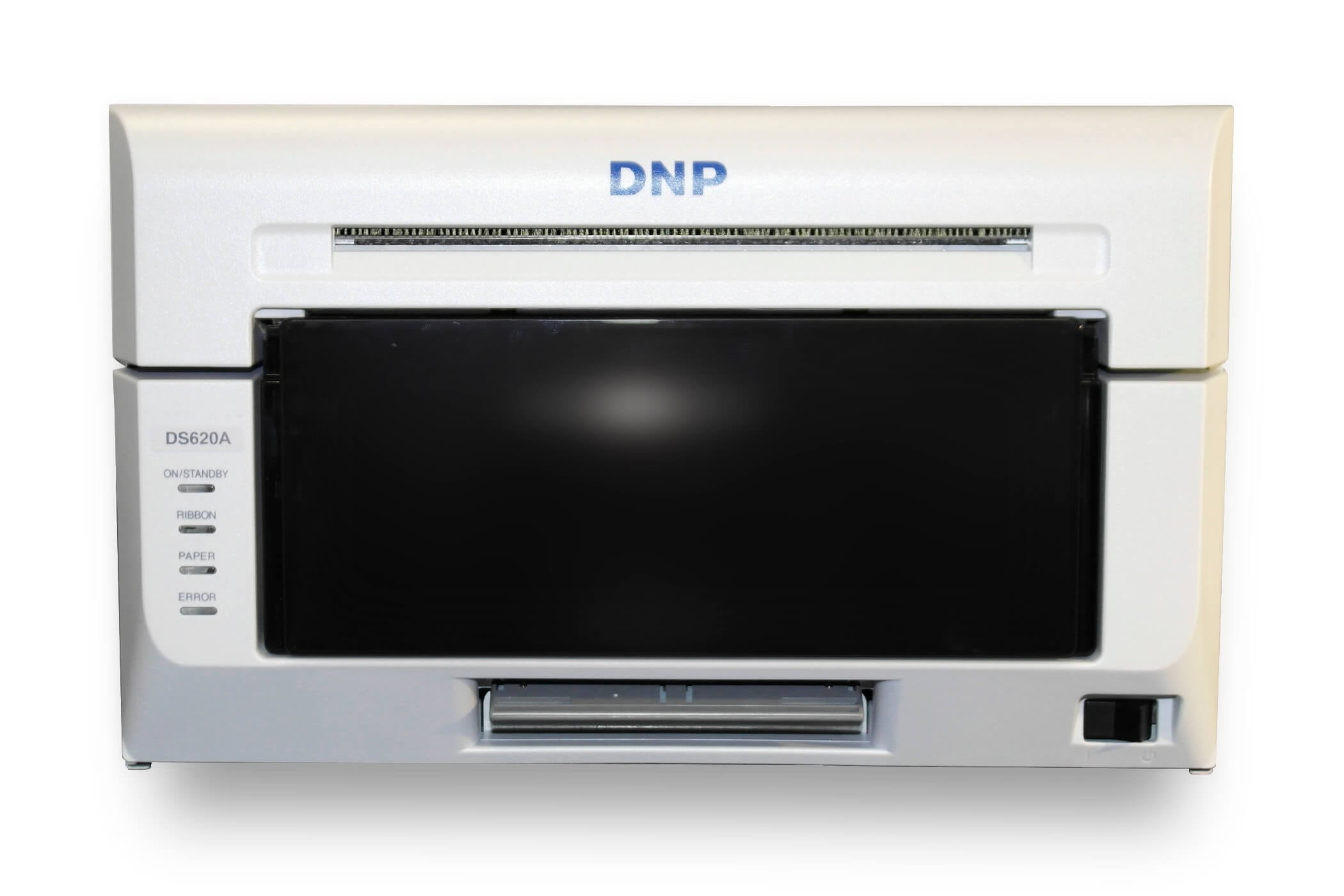
DNP DS620A Professional Dye Sublimation Photo Printer
The DNP DS620A Professional Dye Sublimation Photo Printer is a 6 in dye sublimation photo printer built for photo booths, event photography, school portraits, sports tournaments, retail kiosks, and studio workflows where speed and consistent quality matter. It produces a 4 x 6 in print in 8.3 seconds — up to 400 prints per hour — with smooth gradients, rich color, and a durable overcoat finish applied in the same pass. For on-site jobs where guests are waiting, that throughput keeps lines moving and orders flowing without sacrificing output quality.
Quick links
Overview · Print sizes and cut options · Speed and print quality · Overcoat finishes · Panoramic printing · Best uses and workflows · Media and supplies
DNP DS620A overview
The DS620A is designed for production-style printing in a compact footprint. It is a strong fit when you need repeatable results across hundreds of prints in a day — weddings, corporate activations, brand events, theme parks, cruise ships, graduation ceremonies, and any photo booth setup where the printer is running constantly. It is also widely used as a counter printer for retail photo services and as a fast output option for studios that sell prints on site.
Print sizes and cut options
One of the biggest advantages of the DS620A is flexibility. With the correct media loaded and driver cut settings selected, it supports all of the formats commonly needed in event and booth workflows:
- 2 x 6 in photo strips — two strips per 4 x 6 in sheet; four strips per 6 x 8 in sheet
- 4 x 6 in — 400 sheets per roll, 8.3 sec per print
- 5 x 7 in — 230 sheets per roll, 14.1 sec per print
- 6 x 8 in — 200 sheets per roll, 15.7 sec per print
- 6 x 14 in and 6 x 20 in panoramic — requires DNP Hot Folder Print v2.2 software
Driver-based cut modes let you switch between sizes without changing the media roll, which keeps your setup lean and reduces downtime between jobs. The DS620A also includes a rewind function that reduces media waste when switching print sizes mid-event. In a busy workflow, that means you can run 4 x 6 in prints at one station and switch to strips at another — without wasting a full roll in the process.
Speed and print quality
At 400 prints per hour on 4 x 6 in media, the DS620A is one of the fastest professional dye sublimation printers in its class. Each print is produced at 300 x 300 dpi, delivering crisp detail, clean text rendering for overlays and branded frames, and smooth tonal gradients in portraits. The enhanced thermal printhead supports both High Speed mode for maximum throughput and High Quality mode for portrait and fine detail work — operators switch between modes through the driver depending on job requirements.
For businesses, faster output directly affects revenue. Whether prints are sold individually or bundled into a booth package, a printer that keeps pace with demand means fewer bottlenecks, shorter guest wait times, and more prints per event.
What’s in the box
- DNP DS620A printer
- Power cord
- USB cable
- Paper tray
- Output tray
- Quick start guide
Overcoat finishes
The DS620A applies an overcoat finish as part of the dye sublimation print process — no separate laminator required. The same media roll supports both Glossy and Matte output through driver settings, so you can offer finish options to customers without stocking separate media. Glossy delivers vibrant color and high contrast. Matte reduces glare and surface reflection, which many customers prefer for portraits. The overcoat also improves resistance to fingerprints and everyday handling, giving each print a more finished, professional surface.
Panoramic printing
The DS620A supports panoramic output up to 6 x 20 in using DNP Hot Folder Print v2.2 software with standard 6 x 8 in media. Panoramic prints are a strong upsell at attractions, brand activations, and venues where a longer format becomes a keepsake. Customers assign higher perceived value to panoramic output, which makes it a practical way to increase average order value without adding a second printer to the setup.
Best uses and workflows
The DS620A performs well across a wide range of high-volume workflows:
- Photo booths — handles standard prints and 2 x 6 in strip formats from one device
- Event photography — delivers sellable prints at the table within seconds of capture
- School and sports portrait days — high roll capacity reduces media changes during bulk runs
- Retail photo kiosks — professional output without complicated calibration
- Corporate activations and brand events — consistent branded output at scale
- Cruise ships, theme parks, graduation ceremonies — compact, portable, 26.4 lbs
The driver provides real-time status information including remaining media, media format, printer life counter, color control data, firmware version, and serial number — useful for managing units across a production floor or event circuit.
Media and supplies
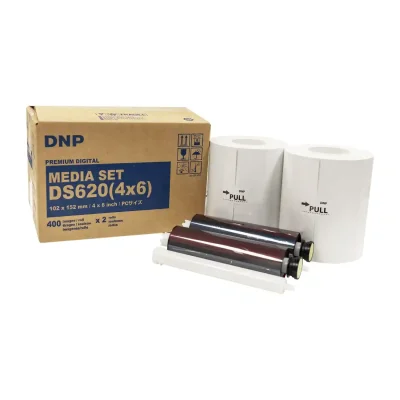
For best color consistency and reliable performance, use genuine DNP media kits matched to the DS620A. Each kit pairs the paper roll and ribbon cassette for that print size. Keep an extra kit on hand for your primary size to avoid downtime at critical moments during a job.
Shop compatible media: DNP DS620A 4 x 6 in Media Kit — 800 prints (2 rolls). For more information visit the DNP DS620A official product page.
How to replace media on the DNP DS620A
How fast does the DNP DS620A print?
The DNP DS620A prints a 4 x 6 in photo in 8.3 seconds, which equals up to 400 prints per hour. For 5 x 7 in prints, the speed is 14.1 seconds per print. For 6 x 8 in prints, it is 15.7 seconds per print. These speeds are measured in High Speed mode using a roll feed with genuine DNP media.
What print sizes does the DNP DS620A support?
The DNP DS620A supports the following print sizes: 2 x 6 in photo strips, 4 x 6 in, 5 x 7 in, 6 x 8 in, 6 x 14 in, and 6 x 20 in panoramic. Photo strip output produces two 2 x 6 in strips from one 4 x 6 in sheet or four strips from one 6 x 8 in sheet. Panoramic sizes (6 x 14 in and 6 x 20 in) require DNP Hot Folder Print v2.2 software and use standard 6 x 8 in media. All sizes are selected through driver cut settings — no media change required to switch between most formats.
Does the DNP DS620A print photo booth strips?
Yes. The DNP DS620A supports 2 x 6 in photo strips through driver cut settings. It produces two strips from a single 4 x 6 in sheet or four strips from a single 6 x 8 in sheet. This makes it a widely used choice for photo booth operators who need quick strip output alongside standard print formats from a single device.
What finish options does the DNP DS620A support?
The DNP DS620A supports Glossy and Matte overcoat finishes. Both finishes are available from the same media roll — the finish is selected through the printer driver, so no media swap is needed to switch between them. The overcoat is applied as part of the dye sublimation print process in a single pass, adding surface protection and a finished appearance without a separate laminator. Fine Matte is also available depending on the media kit purchased.
What media does the DNP DS620A use?
The DNP DS620A uses genuine DNP media kits that pair a paper roll with a ribbon cassette for each print size. Roll capacities are 400 sheets per roll for 4 x 6 in, 230 sheets per roll for 5 x 7 in, and 200 sheets per roll for 6 x 8 in. Using genuine DNP media ensures accurate color, consistent density, and reliable operation. Third-party media is not compatible. Buffalo Imaging carries the full range of DS620A media kits including the 4 x 6 in 800-print kit (2 rolls).
Does the DNP DS620A support panoramic printing?
Yes. The DNP DS620A supports panoramic output at 6 x 14 in and 6 x 20 in using standard 6 x 8 in media. Panoramic printing requires DNP Hot Folder Print v2.2 software. This feature is useful for attractions, brand activations, and events where a longer keepsake print is a premium upsell over a standard 4 x 6 in photo.
What is the warranty on the DNP DS620A?
The DNP DS620A includes a 3-Year Advance Exchange warranty. Under this program, DNP will ship a replacement unit before you return the defective one, minimizing downtime in production environments. This is one of the longer warranties available on professional dye sublimation photo printers in this class. Buffalo Imaging sells the DS620A as an authorized DNP dealer and can assist with warranty registration.
What is the difference between the DNP DS620A High Speed and High Quality print modes?
High Speed mode prioritizes throughput, producing 4 x 6 in prints at 8.3 seconds each for up to 400 prints per hour. High Quality mode slows the print engine to allow finer ink layering, which improves tonal gradation and fine detail — useful for portrait sessions or jobs where output quality takes priority over volume. Operators switch between modes through the printer driver with no hardware changes required.
Does the DNP DS620A work with a Mac?
Yes. DNP provides Mac drivers for the DS620A. Compatibility depends on your macOS version and the printer’s firmware, so check DNP’s latest driver requirements before purchasing or installing. Some printers may require a firmware update and iSerial enabled for full Mac functionality.
How many prints per roll does the DNP DS620A produce?
Roll capacity on the DNP DS620A depends on print size. A 4 x 6 in roll yields 400 prints. A 5 x 7 in roll yields 230 prints. A 6 x 8 in roll yields 200 prints. DNP media kits for the DS620A are typically sold in 2-roll cases, giving you 800 prints per case at the 4 x 6 in size, 460 prints per case at 5 x 7 in, and 400 prints per case at 6 x 8 in.
Is the DNP DS620A available at Buffalo Imaging?
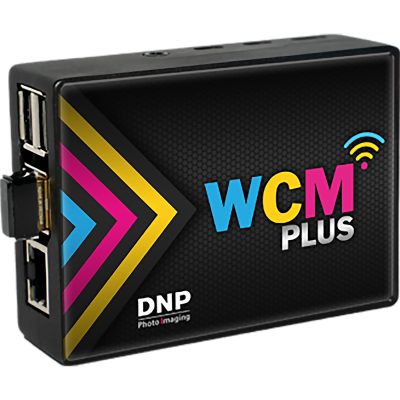
Yes. Buffalo Imaging stocks the DNP DS620A and ships orders placed before 2 PM PST the same business day. Orders over $149 qualify for free shipping. Local pickup is also available at 2015 Saybrook Ave, Commerce, CA 90040. Buffalo Imaging carries the full range of compatible DNP DS620A media kits and accessories, including the 4 x 6 in 800-print kit and the DNP WCM Wireless Connect Module for wireless operation.
| Brand | DNP |
|---|---|
| Weight | 26.4 lbs |
| Dimensions | 10.8 × 14.4 × 6.7 in |
7 reviews for DNP DS620A Professional Dye Sublimation Photo Printer — 3-Year Warranty
100%
0%
0%
0%
0%
1-5 of 7 reviews
Add a review
 DNP DS620A Professional Dye Sublimation Photo Printer — 3-Year Warranty
Your review
* Review is required
Name
* Name is required
Email
* Email is required
Related Products
Original price was: $139.99.$124.99Current price is: $124.99.

Original price was: $179.00.$169.00Current price is: $169.00.
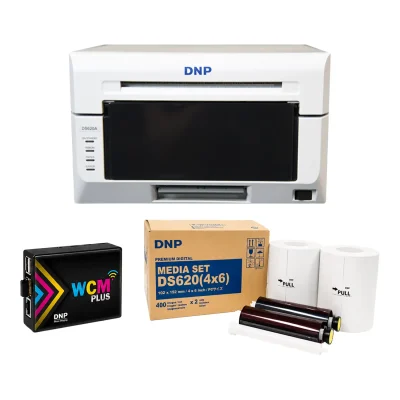
Photo Booth and Studio Printers
DNP DS620A Complete Bundle — Printer, 4 x 6 Media Kit & WCM Wireless Module
Original price was: $1,499.00.$1,349.99Current price is: $1,349.99.
DNP Supplies
Original price was: $229.00.$218.99Current price is: $218.99.
Bought this for event printing and it has been solid. We can print photos quickly without people waiting around forever. Big improvement over our old printer.
5/5 — would buy again.
Fast!!! That’s probably my favorite thing about this printer. Great quality too.
Nice and simple. Loaded the media, installed the driver, and we were printing. Quality is better than expected.
The print quality is excellent and it’s much faster than the printer we were using before. Skin tones look good and everything comes out clean.