




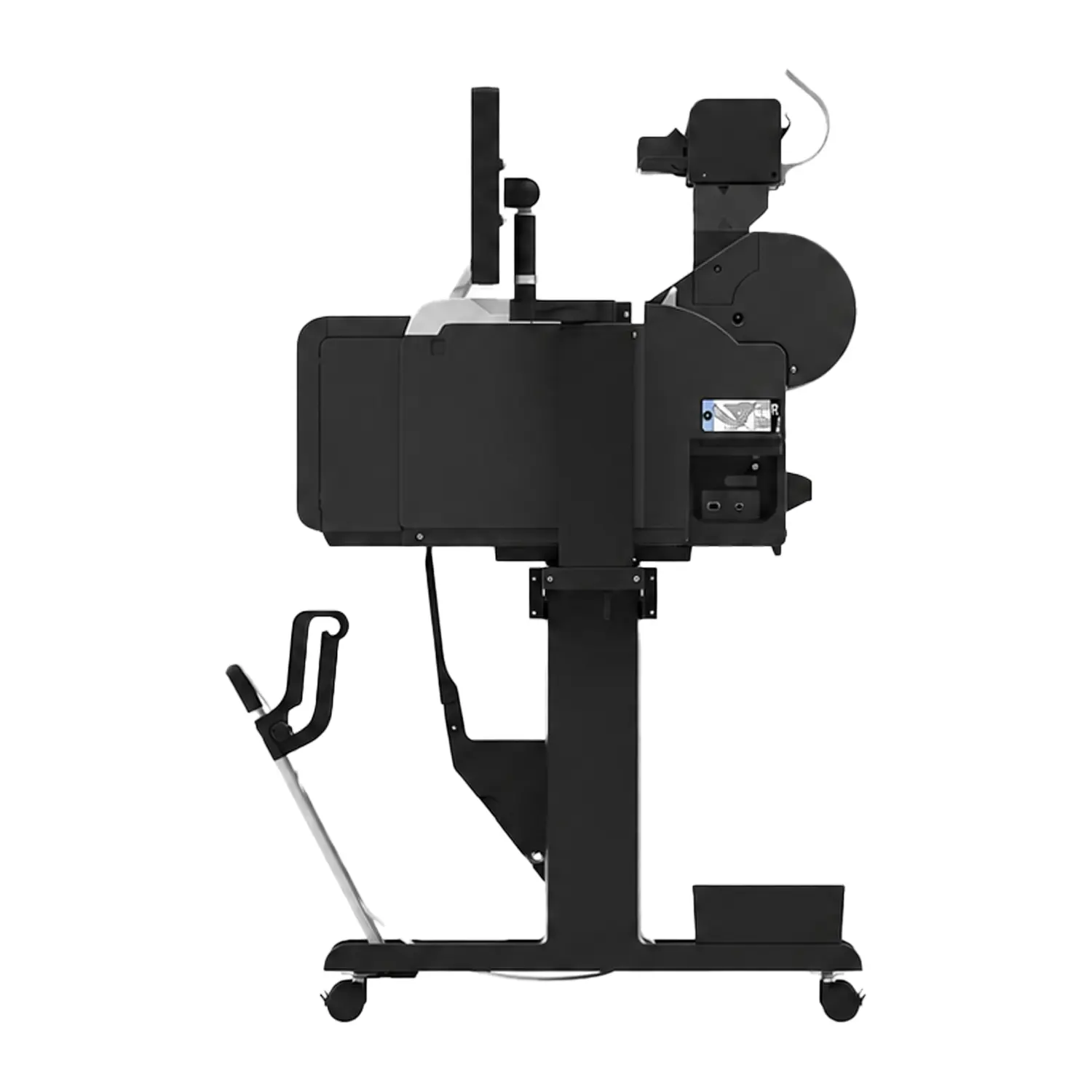

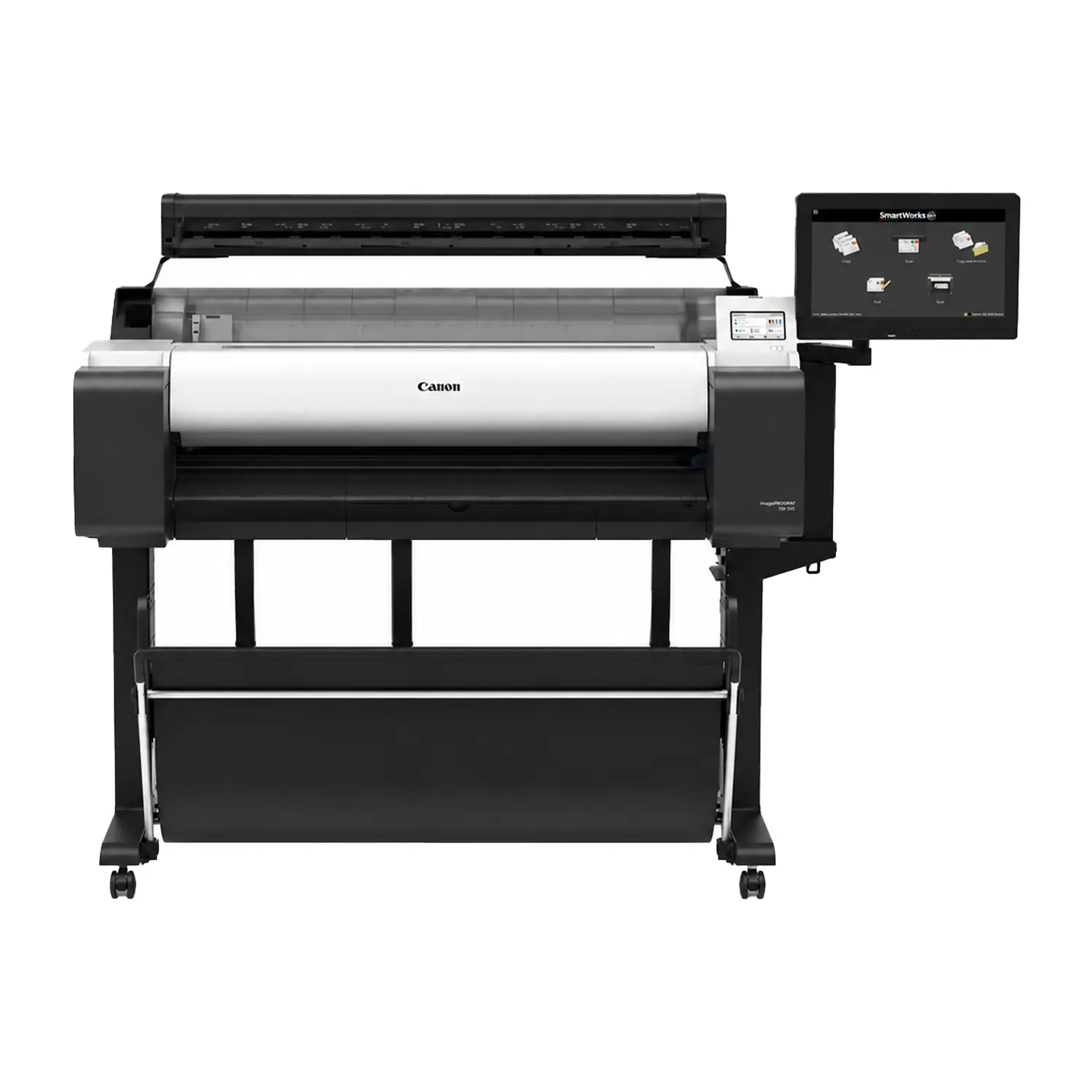
Canon imagePROGRAF TM-350 MFP Z36 36″ Printer & Scanner
$11,449.00
- 36″ Print, Scan and Copy: Advanced large-format workflow for CAD plans and technical archives
- Fast Z36 Scanner: Scans up to 13 inches per second in monochrome
- 1200 dpi Scan Resolution: Captures fine details from drawings, maps and plans
- 15.6″ System Controller: Includes touchscreen, 256 GB SSD and 8 GB RAM
- Flexible Ink Capacity: Accepts 130 mL and high-capacity 300 mL replacement tanks
Canon imagePROGRAF TM-350 MFP Z36 Printer and Scanner
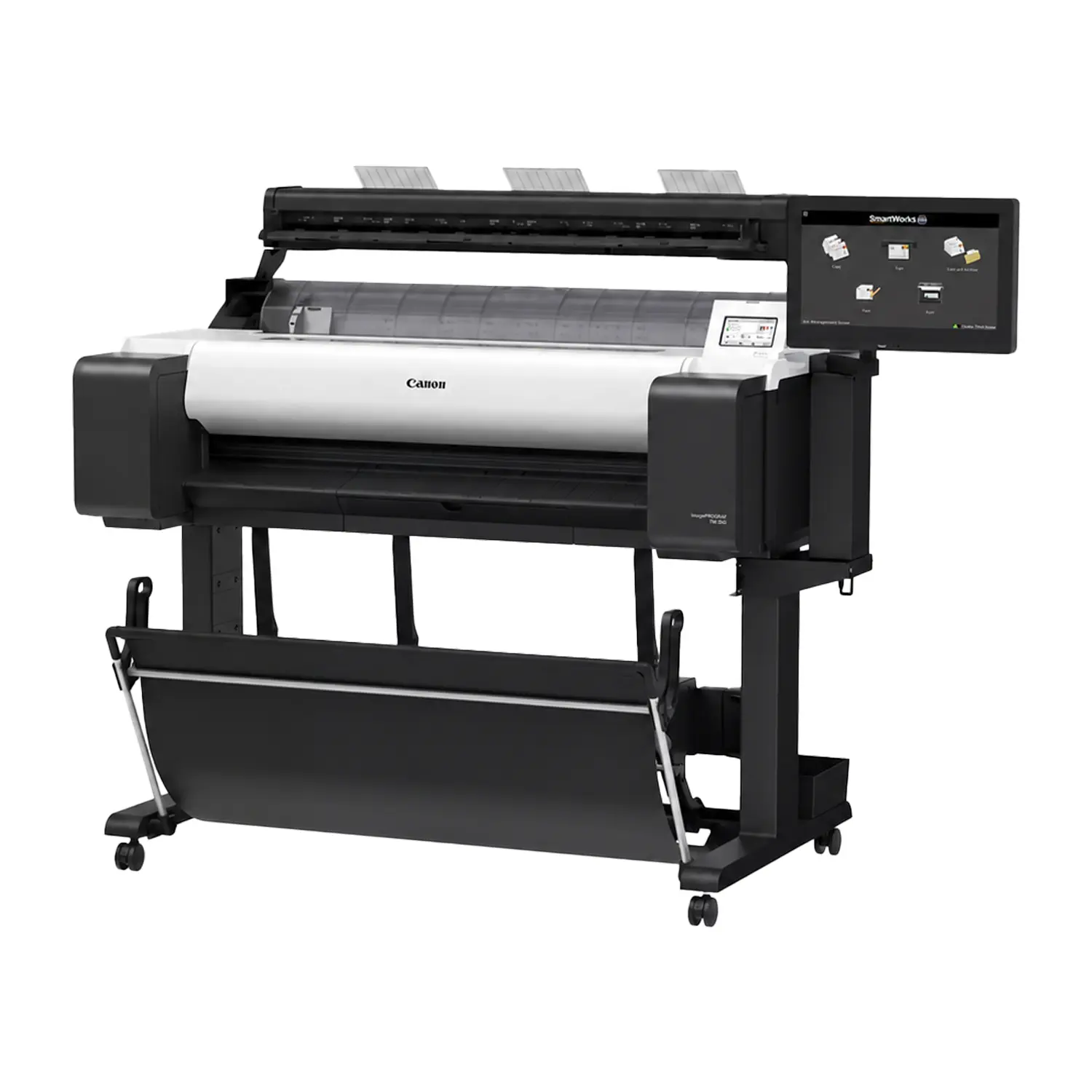
Canon imagePROGRAF TM-350 MFP Z36 combines a 36-inch CAD and poster printer with Canon’s faster, higher-resolution Z36 scanner and a dedicated 15.6-inch touchscreen controller. It is designed for architecture, engineering, construction, government and reprographics teams that need productive scanning, copying, archiving and large-format printing in one system.
The Z36 configuration is the premium scanning option for the TM-350. It delivers faster capture, longer scan files, higher scanner resolution and a more capable SmartWorks workflow than the entry-level Lm36 bundle.
What’s Included with the Canon TM-350 MFP Z36?
Each order includes the Canon imagePROGRAF TM-350 MFP Z36 printer-and-scanner bundle. The printer stand, stackable basket, Z36 mounting hardware and touchscreen system controller are included.
- TM-350 Printer: One 36-inch printer
- Z36 Scanner: One 36-inch scanner
- System Controller: Touchscreen controller included
- Printer Stand: Floor stand included
- Output Basket: Stackable basket included
- Starter Ink: Five starter tanks
- Print Head: One PF-06 head
- Maintenance Cartridge: MC-31 installed
- Roll Holder: Two-inch holder included
- Core Adapters: Three-inch adapters included
- Scanner Mount: Suspension hardware included
- Document Guides: Return and edge guides
- Calibration Target: Scanner target included
- Connections: USB and power hardware
The starter ink set contains 130 mL of Matte Black and 90 mL each of Black, Cyan, Magenta and Yellow. Media rolls and full-capacity replacement ink tanks are sold separately.
High-Speed Z36 Scanning for Production Workflows
The Z36 scans 24-bit color documents at up to 3 inches per second at 200 dpi and grayscale or monochrome documents at up to 13 inches per second. Color copying can reach 6 inches per second, making the Z36 significantly faster than the Lm36 scanner.
Maximum scanner resolution is 1200 dpi. It captures images up to 36 inches wide from documents up to 38 inches wide and supports originals from approximately 0.07 to 1.0 mm thick.
Long-Document Scanning and SmartWorks MFP
The Z36 supports scan lengths up to approximately 315 inches for JPEG or PDF and 598 inches for TIFF. This capacity helps teams archive long technical drawings, maps and site plans that exceed standard architectural sheet lengths.
SmartWorks MFP software provides scan, copy, edit and file-management controls through the included 15.6-inch multitouch system controller. The controller includes a 256 GB SSD, 8 GB DDR4 memory and USB and Gigabit Ethernet connections.
Fast TM-350 CAD and Poster Printing
The printer produces a D-size 24 × 36 inch CAD drawing in approximately 17 seconds, or about 3.2 pages per minute in its fastest supported setting. Its PF-06 print head and 2400 × 1200 dpi resolution support accurate line work, readable annotations and vivid presentation graphics.
The Z36 upgrade improves scanning rather than print speed. Customers who only scan occasionally may prefer the simpler Lm36 configuration, while teams scanning plans throughout the day receive more value from the Z36.
5-Color LUCIA TD Pigment Ink
The five-color ink system uses Matte Black, Black, Cyan, Magenta and Yellow pigment inks. Matte Black supports dense CAD lines on plain paper, while the updated magenta formulation improves red color reproduction for maps, posters and presentation materials.
The printer accepts PFI-120/PFI-121 130 mL tanks and PFI-320/PFI-321 300 mL tanks. Browse Canon ink to prepare a replacement set for the TM-350.
Automatic Media Detection and Connected Workflows
Automatic media detection identifies paper type, roll width and remaining length. The single-roll printer handles media from 8 to 36 inches wide and includes an automatic rotary cutter for roll output.
Built-in Wi-Fi, Gigabit Ethernet and high-speed USB support shared production environments. Canon print utilities add batch submission, nesting, poster creation, printer management and cost tracking.
Full Specifications
| Spec | Detail |
|---|---|
| Print Technology | 5-color LUCIA TD pigment ink |
| Ink Colors | Matte Black, Black, Cyan, Magenta, Yellow |
| Maximum Print Width | 36 inches |
| Print Resolution | 2400 × 1200 dpi |
| Print Head | PF-06, 15,360 total nozzles |
| Print Speed (CAD, A1) | Approximately 17 seconds, up to 3.2 ppm in Fast Economy mode |
| Print Speed (CAD, A0) | 0:32 Fast Economy, 0:41 Fast, 1:08 Standard |
| Scanner Technology | SingleSensor with LED illumination |
| Maximum Scan Resolution | 1200 dpi |
| Maximum Scan Width | 36 inches |
| Maximum Document Width | 38 inches |
| Maximum Scan Length | 315 inches for JPEG/PDF; 598 inches for TIFF |
| Document Thickness | 0.07 to 1.0 mm |
| Color Scan Speed | Up to 3 inches per second at 200 dpi |
| Monochrome Scan Speed | Up to 13 inches per second at 200 dpi |
| Color Copy Speed | Up to 6 inches per second |
| Scanner Controller | 15.6-inch multitouch display, 256 GB SSD, 8 GB DDR4 RAM |
| Scanner Software | SmartWorks MFP V6 |
| Media Handling | One top-loading roll with front output; manual cut-sheet feed |
| Media Width | 8 to 36 inches |
| Maximum Roll Diameter | 5.9 inches |
| Printer Memory | 2 GB |
| Connectivity | Wi-Fi, Gigabit Ethernet, high-speed USB and scanner USB 3.0 |
| Printer Languages | HP-GL/2, HP RTL, JPEG and CALS G4 |
| Power Supply | AC 100–240V, 50–60Hz |
| Printer Power Consumption | Operation 65W or less, sleep 2.2W or less, power off 0.1W or less |
| Assembled Dimensions | 63.5 × 34.2 × 50.24 inches (W × D × H) |
| Assembled Weight | Approximately 181.9 pounds |
| Bundle MPN | 6246C007AA |
| User-Replaceable Items | PFI-120/PFI-121 and PFI-320/PFI-321 ink tanks, PF-06 print head, MC-31 maintenance cartridge, CT-08 cutter blade |
| Optional Accessory | RH2-35 additional 2-inch/3-inch roll holder |
Choose Between the Z36 and Lm36
Choose the Z36 for higher scan volume, 1200 dpi capture, faster scanning, long-document support and an included touchscreen controller. For occasional basic scanning, compare the Canon TM-340 MFP Lm36 or the compact Canon TM-250 MFP Lm24.
Explore more CAD and graphic plotter printers or view all Canon printers. Contact Buffalo Imaging for current availability, freight requirements and ordering assistance for the Canon imagePROGRAF TM-350 MFP Z36.
What can the Canon imagePROGRAF TM-350 MFP Z36 print, scan and copy?
The Canon imagePROGRAF TM-350 MFP Z36 prints, scans and copies large-format CAD drawings, blueprints, GIS maps, construction plans, posters and technical documents up to 36 inches wide. It is designed for architecture, engineering, construction, government and reprographics workflows.
What is included with the Canon TM-350 MFP Z36?
The bundle includes the TM-350 printer, Z36 scanner, 15.6-inch controller, stand, stackable basket, starter inks, PF-06 print head, installed MC-31 maintenance cartridge, roll holder, scanner mounting hardware, document guides, calibration target, cables, power hardware and documentation. Media rolls and full replacement inks are not included.
How fast does the Canon Z36 scanner operate?
At 200 dpi, the Z36 scans 24-bit color at up to 3 inches per second and grayscale or monochrome at up to 13 inches per second. Color copying can reach 6 inches per second.
What resolution and document sizes can the Canon Z36 scanner handle?
The Z36 scans at up to 1200 dpi with a maximum 36-inch scan width and 38-inch document width. Maximum scan length is approximately 315 inches for JPEG or PDF and 598 inches for TIFF, with supported document thickness from 0.07 to 1.0 mm.
What system controller comes with the TM-350 MFP Z36?
The included controller has a 15.6-inch multitouch display, 256 GB SSD, 8 GB DDR4 memory, USB connections and Gigabit Ethernet. It operates Canon SmartWorks MFP software.
What ink does the Canon TM-350 MFP Z36 use?
The printer uses five LUCIA TD pigment colors: Matte Black, Black, Cyan, Magenta and Yellow. It accepts PFI-120/PFI-121 130 mL tanks and PFI-320/PFI-321 300 mL tanks.
How fast does the Canon TM-350 print CAD drawings?
The TM-350 can print a D-size 24 × 36 inch CAD drawing in approximately 17 seconds in its fastest supported setting, or about 3.2 D-size pages per minute.
What is the difference between the Z36 and Lm36 configurations?
The Z36 offers faster scanning, 1200 dpi resolution, longer scan files, thicker document support, SmartWorks MFP software and a 15.6-inch controller. The Lm36 is the lower-cost choice for occasional basic scanning and copying.
What are the assembled dimensions and weight?
The complete TM-350 MFP Z36 measures approximately 63.5 × 34.2 × 50.24 inches and weighs about 181.9 pounds when assembled. Allow additional operating clearance for media and document handling.
How is the Canon TM-350 MFP Z36 shipped and installed?
The TM-350 MFP Z36 is an oversized freight system. Dealers commonly publish a combined shipment near 249.1 pounds, but the final pallet measurements, liftgate needs, delivery access and Canon installation requirements should be confirmed before ordering.
| Brand | Canon |
|---|---|
| Print Width | 36" |
| Weight | 249.1 lbs |
| Dimensions | 57.6 × 44.2 × 31.5 in |
Add a review
Canon imagePROGRAF TM-350 MFP Z36 36″ Printer & Scanner Your review
* Review is required
Name
* Name is required
Email
* Email is required
Reviews
There are no reviews yet