





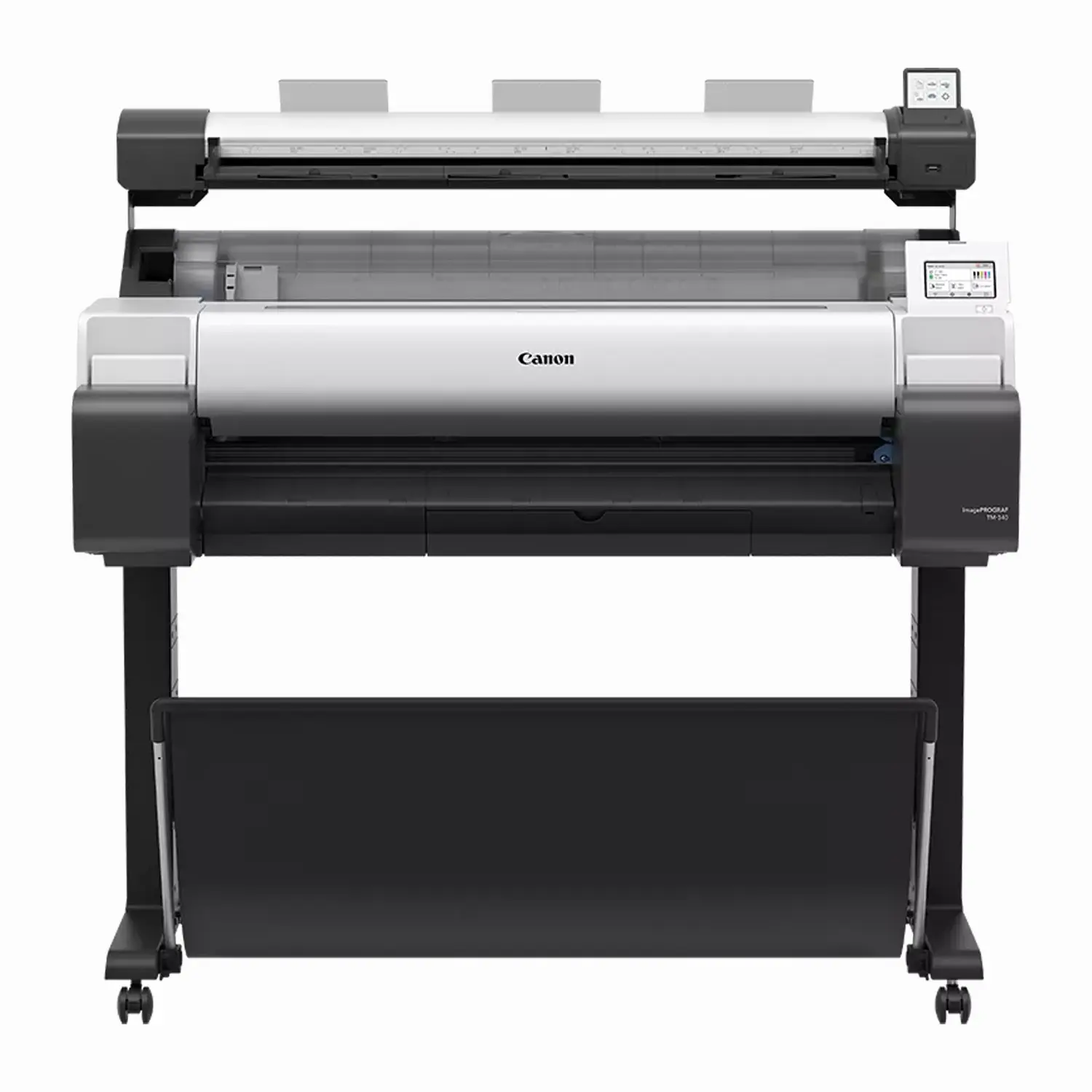
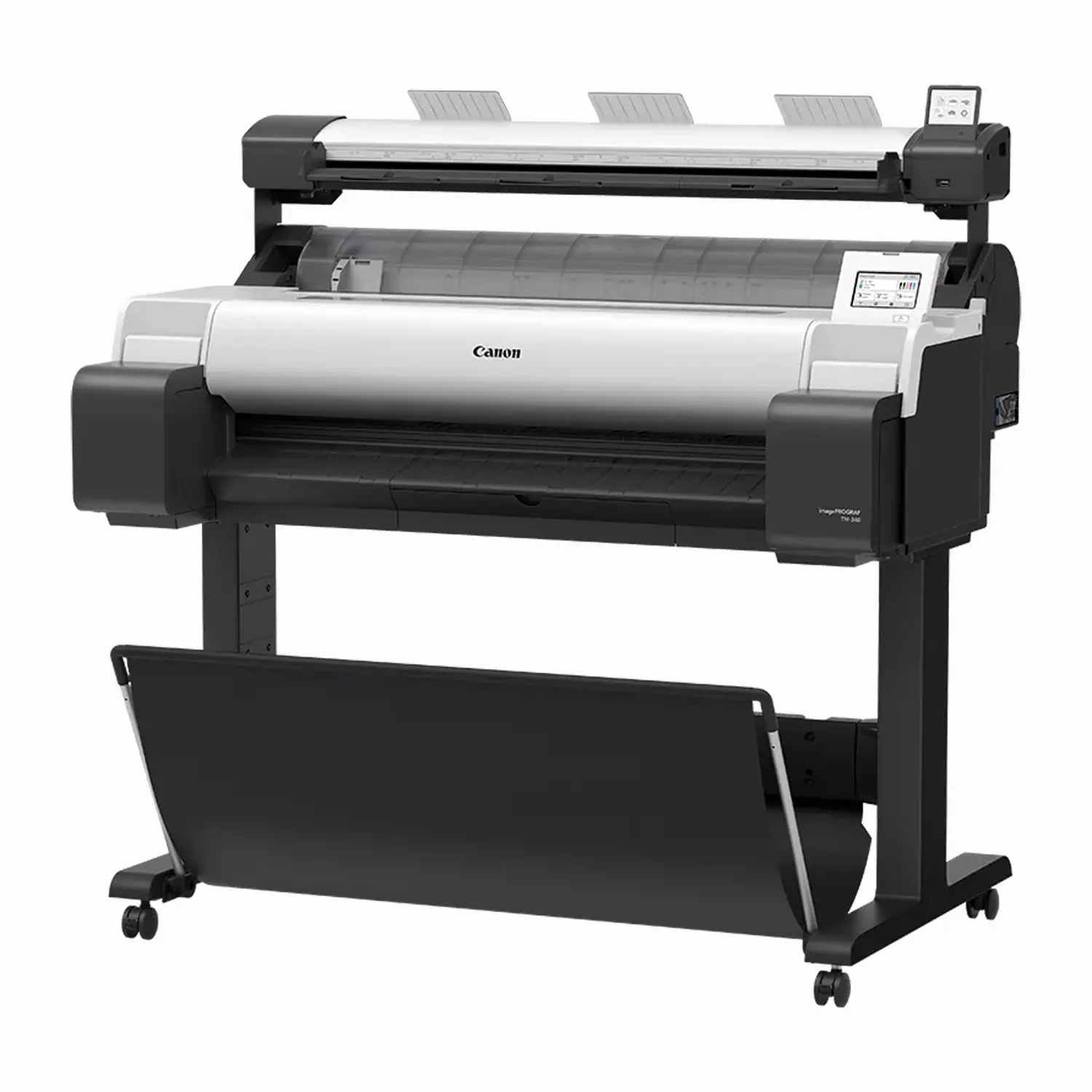
Canon imagePROGRAF TM-340 MFP Lm36 36″ CAD Printer with Scanner
$7,807.00
Please contact us for availability or lead time.
- Integrated Lm36 Scanner: Scan jobs up to 36″ x 109″ long with Green Button scan-to-copy, no PC required.
- 5-Color LUCIA Pigment Ink: Sharp lines and vivid, newly formulated magenta for eye-catching red color.
- Stand and Catch Basket Included: Ready to set up out of the box.
- EPEAT Gold Certified: First in the imagePROGRAF TM Series, with polystyrene-free packaging.
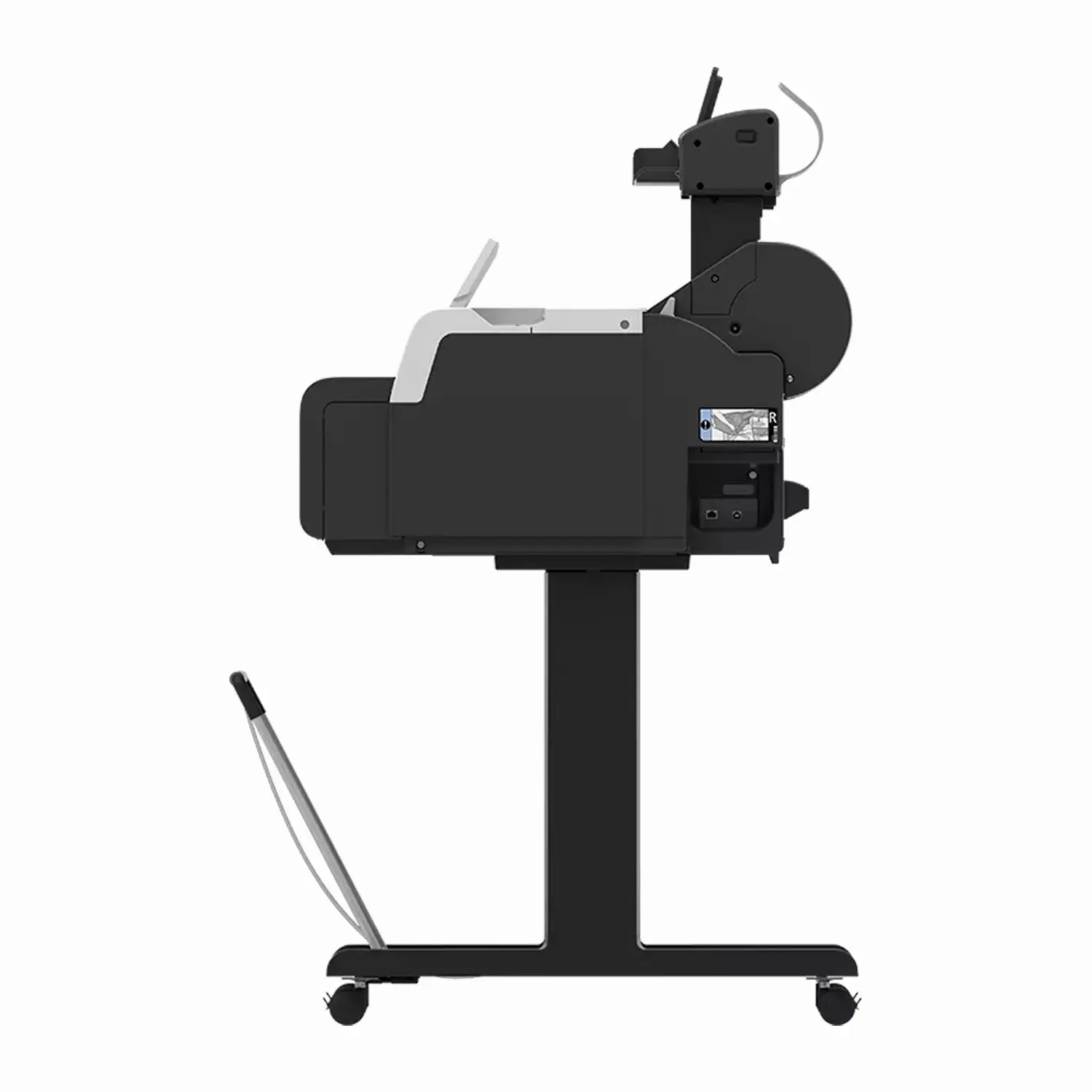
The Canon imagePROGRAF TM-340 MFP Lm36 combines a 36″ large-format printer with an integrated Lm36 scanner, giving small offices, retail spaces, and classrooms basic scan-to-copy and scan-to-file capability alongside CAD and poster printing. The printer stand and catch basket ship included standard. Buffalo Imaging serves professional print shops and studios with the equipment and supplies they need to keep production moving.
Affordable, Entry-Level Scanning
The Lm36 scanner uses SingleSensor technology with a 600 dpi CCD sensor, scanning jobs as large as 36″ x 109″ long. Scan speed runs up to 3 inches per second in monochrome and 1 inch per second in color. A multicolor 3″ LCD touchscreen and Green Button scan-to-copy functionality let you scan and copy documents without a PC, ideal for low-volume, entry-level scanning needs.
Same Print Engine as the TM-340
The MFP Lm36 shares the exact same 5-color LUCIA pigment ink system as the standalone Canon TM-340, including the newly formulated magenta ink for more brilliant red color reproduction, and produces an A1 CAD drawing in as little as 21 seconds. Color calibration keeps output consistent over time and across multiple TM Series devices.
Ink Cost Consideration
The TM-340 MFP Lm36 uses the same 55ml, non-upgradable ink cartridges as the standalone TM-340, sized for lighter, occasional printing. For higher-volume needs, the TM-350 series offers larger cartridges with better long-term cost per print.
Connectivity and Compatibility
The printer connects via USB, Ethernet, or Wi-Fi, with Apple AirPrint support. It’s compatible with both Windows and macOS, and the scanner works with ScanAppL software for straightforward scan-to-USB in TIFF, PDF, and JPEG formats.
What’s in the Box
- imagePROGRAF TM-340 printer
- Printer stand and catch basket
- Lm36 scanner
- Print Head (PF-06)
- Starter ink tank set (300ml total: 80ml Matte Black, 55ml each Black/Cyan/Magenta/Yellow)
- Roll holder (spool)
- Lm36 Scanner Quick Start Guide
- Power cable and installation guide
Full Specifications
| Spec | Detail |
|---|---|
| Print Technology | 5-color LUCIA pigment ink |
| Ink Colors | Matte Black, Black, Cyan, Magenta, Yellow |
| Max Print Width | 36″ |
| Max Print Resolution | 2400 x 1200 dpi |
| Print Head | PF-06, 15,360 total nozzles — shared with TM-240, TM-240 MFP Lm24, and TM-340 |
| Scan Technology | SingleSensor, 600 dpi CCD sensor |
| Max Scan Job Size | 36″ x 109″ |
| Scan Speed | 3″/sec (mono), 1″/sec (color) |
| Scanner Display | 3″ multicolor LCD touchscreen |
| Scan-to-Copy | Green Button functionality, no PC required |
| Media Handling | Single roll, upper-loading, front output; manual cut sheet feed (no automatic sheet feeder) |
| Media Width | 8″ to 36″ roll; cut sheet 210-917mm |
| Connectivity | USB, Ethernet, Wi-Fi, Apple AirPrint |
| OS Compatibility | Windows 7/8.1/10/11, Windows Server, macOS 10.15.7 and later |
| Noise Level | Approx. 39 dB(A) operation |
| Printer Main Unit Weight (with stand) | 59.2 kg (130.5 lbs) |
| Certifications | EPEAT Gold (first in TM Series), ENERGY STAR, CE mark, UKCA mark |
| SKU | 6248C005AA |
| Alternate SKU | 6248C005AB |
| User-Replaceable Items | Print Head (PF-06), Maintenance Cartridge (MC-31), Cutter Blade (CT-08), Ink Tanks (PFI-030/PFI-031, 55ml) |
What is the Canon imagePROGRAF TM-340 MFP Lm36 used for?
The TM-340 MFP Lm36 combines a 36″ printer with an integrated scanner, used for printing and scanning CAD drawings, posters, and large documents in offices, print shops, and retail spaces that need basic scan-to-copy or scan-to-file capability alongside production printing.
What is the best 36-inch Canon printer-scanner combo for CAD and technical drawings?
The TM-340 MFP Lm36 pairs a full 36″ print engine with the Lm36 scanner, capable of handling scan jobs up to 36″ x 109″ long, making it well suited to full-size CAD and technical drawing workflows. It’s an entry-level scanning option built for lower-volume use rather than high-throughput scanning.
What’s the difference between the TM-340 MFP Lm36 and the standalone TM-340?
Both use the identical print engine: the same 5-color LUCIA pigment ink, print speed, and resolution, with the stand and catch basket included on both. The MFP Lm36 adds an integrated Lm36 scanner for scan-to-copy and scan-to-file capability. If you only need printing, the standalone TM-340 is the simpler, lower-cost option.
How large a document can the Lm36 scanner handle?
The Lm36 scanner can handle scan jobs up to 36″ wide and 109″ long, making it capable of scanning full-size architectural and engineering drawings in one pass.
Do I need a computer to use the scan-to-copy function on the TM-340 MFP Lm36?
No. The Lm36 scanner includes Green Button scan-to-copy functionality that works without a PC, letting you scan and copy documents directly.
How much ink does the TM-340 MFP Lm36 hold, and can it be upgraded?
It uses the same 55ml ink cartridges as the standalone TM-340, and this size cannot be upgraded to larger tanks. For higher-volume printing needs, the TM-350 series offers larger cartridges with better long-term cost per print.
Is the Canon TM-340 MFP Lm36 the best printer-scanner combo for an AEC office with occasional scanning needs?
It’s purpose-built for that use case: a full 36″ production print engine paired with an affordable, entry-level scanner. Whether it’s the best fit depends on your scanning volume — for occasional large-format scan-to-copy needs alongside regular CAD and poster printing, it’s designed specifically for that combination.
Does the TM-340 MFP Lm36 come with a stand?
Yes. The printer stand and catch basket ship included standard, consistent with the standalone TM-340.
What connectivity options does the TM-340 MFP Lm36 have?
USB, Ethernet, and Wi-Fi are all built in, along with Apple AirPrint support. It works with both Windows and macOS workflows.
Is the TM-340 MFP Lm36 environmentally certified?
Yes. It was part of the first generation in the imagePROGRAF TM Series to be EPEAT Gold registered, and it’s also ENERGY STAR certified, with polystyrene-free packaging.
| Brand | Canon |
|---|---|
| Print Width | 36" |
| Weight | 220.5 lbs |
| Dimensions | 55 × 34 × 25 in |
Add a review
Canon imagePROGRAF TM-340 MFP Lm36 36" CAD Printer with Scanner Your review
* Review is required
Name
* Name is required
Email
* Email is required
Reviews
There are no reviews yet